AI-Assisted Document Processing for Insurance Claims
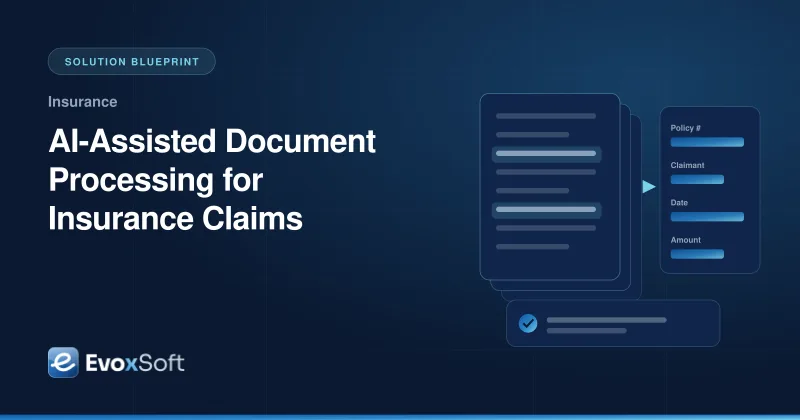
A mid-sized insurer receives claim forms, invoices, medical reports and photos by email, portal upload and post, and adjusters retype the same fields into the claims system. This blueprint shows how we use OCR and large language models to prepare structured claim data for review, while people stay in control of every decision.
Claim documents arrive in dozens of formats, including scans, photos and handwritten forms, so templates and rules break constantly.
Adjusters spend much of their time retyping data and checking it against policy terms instead of assessing claims.
Documents contain personal and health information that must be protected, retained correctly and never sent where it should not go.
Compliance and audit teams need to know who or what produced each value and why a decision was made.
What the Solution Delivers
Documents classified and key fields pre-filled for adjusters to confirm, not retype
Every extracted value linked to its source page and to the policy clause used
Low-confidence or high-risk cases routed to people by configurable thresholds
Accuracy tracked against a labeled evaluation set before and after each change
Architecture
Claims document processing pipeline
Documents are stored encrypted, run through OCR and PII masking, and an LLM extracts fields using policy clauses retrieved with RAG. Validation rules and confidence thresholds send uncertain fields to adjusters, and only approved data reaches the claims system, with every step recorded in the audit trail.
The situation
Insurance claims run on documents: first notice of loss forms, repair estimates, invoices, police reports, medical records and photos. Traditional OCR with fixed templates handles the tidy ones and fails on everything else. Adjusters end up reading each document, retyping values into the claims system and flipping to the policy wording to check coverage, limits and exclusions.
Large language models are good at reading messy documents, but teams in this situation cannot simply hand claims to a model. Outputs can be wrong in confident-sounding ways, personal data needs strict handling, and regulators expect every decision to be explainable. The goal is to take the retyping off adjusters, not to take adjusters out of the process.
Our approach
1. Start with a labeled evaluation set
Before building anything, we work with claims staff to collect a representative sample of real documents, anonymized where required, and label the fields that matter. This evaluation set defines what “good” means for each document type and field. Every change to prompts, models or OCR settings is measured against it, so improvements are proven rather than assumed.
2. Capture, classify and protect documents
Documents from email, the customer portal and the scanning room land in encrypted object storage with retention rules. OCR extracts text and layout, and a classifier identifies the document type. Personal and health information is detected and tagged, and only the minimum needed for a task is passed to the model. Model calls run inside the cloud account through a managed service, with no data used for training and with access logged.
3. Extract fields, grounded in the policy
An LLM extracts fields into a strict JSON schema for each document type, with the page and region each value came from. For coverage-related fields, retrieval-augmented generation pulls the relevant clauses from the claimant’s policy documents, indexed in pgvector, so the model reasons over the actual wording instead of general knowledge. The output cites which clauses were used.
4. Keep people in the loop
Validation rules cross-check extracted values: dates within the policy period, totals that add up, policy numbers that exist. A confidence router combines model signals and rule results against thresholds set per field. High-confidence fields are pre-filled; low-confidence or high-impact ones, such as coverage decisions and large amounts, always go to the review queue. Adjusters see the source document next to the extracted data, confirm or correct each value, and their corrections feed back into the evaluation set.
5. Integrate and audit everything
Only reviewed and approved data is written to the claims system through its API. The audit trail records the source document, OCR output, model and prompt version, retrieved clauses, confidence scores and the person who approved each value. Auditors can reconstruct how any field was produced.
How we deliver it
We usually begin with an IT consulting engagement to agree on scope, data handling, model options and success criteria with claims, IT, legal and compliance. A pilot then covers one or two high-volume document types in shadow mode: the system extracts, adjusters work as usual, and we compare. Only when accuracy on the evaluation set and in shadow mode meets the agreed bar do we switch on pre-filling, one document type at a time. Workflows run on Temporal so long-running reviews and retries are reliable, and infrastructure is defined in Terraform.
Is this relevant to you?
If adjusters spend their days retyping documents, or earlier OCR projects stalled on format variety, this approach is a good fit. Explore our custom software development service or talk to us about your claims workflow.
Building something similar?
We'll walk through your requirements and share how we'd approach architecture, timeline and team for your project.
We use essential technologies to run this site. With your OK, we also use cookieless analytics and Google Maps, which may set cookies. No ads, and we never sell your data. Cookie Policy
Privacy preferences
Choose which optional technologies we may use. Strictly necessary ones are always on because the site can’t work securely without them. Details are in our Cookie Policy.
Your browser sends a Global Privacy Control signal, so optional technologies are off by default.
Strictly necessary
Security and spam protection (Cloudflare, Google reCAPTCHA), form delivery, and remembering these choices.
Always on
Cloudflare Web Analytics counts page views without cookies or cross-site tracking.
Shows our office on Google Maps. Google may set cookies and receive your IP address.