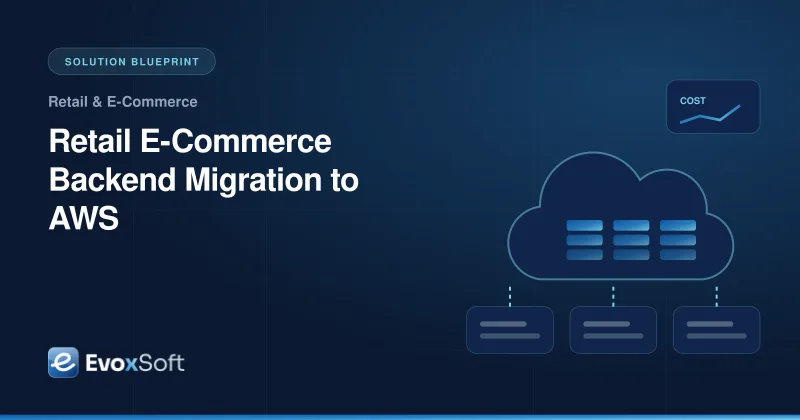
A retailer runs its online store, order management and inventory systems in a data center that must be sized for the busiest week of the year. This blueprint shows how we move that backend to AWS in planned waves, with guardrails, cost controls and recovery built in from the start.
This is a solution blueprint: a representative engagement showing how we approach this kind of project. It is not a specific client story.
IndustryRetail & E-Commerce
Timeline5–8 months across 3–4 migration waves
Teamcloud architect, 2–3 cloud and DevOps engineers, part-time DBA
The Challenge
Hardware is sized for holiday peaks, so most capacity sits idle for the rest of the year.
Order, inventory and payment systems are tightly connected, and nobody wants to risk downtime during trading.
Backups exist, but a full recovery has never been tested end to end.
Leadership worries that cloud costs will grow without anyone noticing.
What the Solution Delivers
Capacity that scales up for peak trading and back down afterwards
Multi-account landing zone with security guardrails applied by default
Recovery procedures that are tested on a schedule, not only documented
Cost visibility per team and workload, with budgets and alerts
Architecture
Retail AWS migration target architecture
Shoppers reach the store through CloudFront and a load balancer. Storefront and order services run on EKS with Karpenter scaling nodes for demand, while data migrates to RDS through AWS DMS and AWS Backup copies it to a second region.
The situation
Retail backends are often built around the calendar. Servers are bought for the holiday rush, then run at a fraction of their capacity for most of the year. The storefront, order management, inventory and store integrations share databases and network paths that grew over many years. When the hardware lease or data center contract comes up for renewal, moving to the cloud makes sense, but a failed cutover during trading is not an option.
Teams in this situation need a migration plan that respects the retail calendar, keeps the business running, and does not replace a hardware bill with an unmanaged cloud bill.
Our approach
1. Discover and plan waves
We start with a four-week assessment. We inventory servers, databases and integrations, map dependencies from network flows and configuration, and classify each workload as rehost, replatform or refactor. Workloads are then grouped into migration waves, scheduled around trading peaks and change freezes. Low-risk internal systems go first; the order and payment path goes when the team has practiced the process.
2. Build the landing zone first
Before any workload moves, we set up a multi-account AWS environment with AWS Control Tower and Terraform: separate accounts for production, non-production, shared services, logging and security. Service control policies, centralized logging, single sign-on and network connectivity to stores and warehouses are in place from day one. If you handle card data, the account and network design supports PCI DSS scoping, which we help you prepare for.
3. Migrate in waves
Stable workloads are rehosted with AWS Application Migration Service, which replicates servers continuously and lets us test in AWS before cutover. Databases move to Amazon RDS with AWS DMS, keeping the source and target in sync until the switch. Customer-facing services that need elastic scaling are replatformed onto Amazon EKS. Each wave has rehearsed cutover and rollback steps and a short, planned maintenance window.
4. Prepare for peak season
Storefront services scale pods on request load, and Karpenter adds and removes nodes as needed. CloudFront caches catalog pages and images at the edge, and ElastiCache takes session and catalog reads off the database. Before each peak, we run load tests at expected holiday traffic and adjust scaling limits and database capacity based on what the tests show.
5. Build in cost control and recovery
Every resource is tagged by team and workload, and budgets alert owners before overspend. After a few weeks of real usage, we right-size instances, move steady workloads to Savings Plans, and schedule non-production environments to shut down out of hours. AWS Backup copies data to a second region, and we run recovery drills on a schedule so recovery time and recovery point targets are verified, not assumed.
How we deliver it
We run the migration as a joint team with your operations staff, who take on more of each wave as the project progresses. All infrastructure lives in Terraform with pipeline-driven changes, and each wave ends with updated runbooks and dashboards. Before the order and payment wave, we run a full rehearsal in a production-like environment, including a timed cutover, data validation checks and a rollback test. Once the last wave is complete, we work with you to decommission the remaining on-premises servers and close out network links that are no longer needed, so you stop paying for both environments. See our cloud services and DevOps consulting for how we work after go-live.
Is this relevant to you?
If your data center contract is up for renewal, your capacity is sized for one week a year, or disaster recovery has never been tested, this blueprint is a good starting point. Get in touch to plan your first migration wave.
Building something similar?
We'll walk through your requirements and share how we'd approach architecture, timeline and team for your project.
We use essential technologies to run this site. With your OK, we also use cookieless analytics and Google Maps, which may set cookies. No ads, and we never sell your data. Cookie Policy
Privacy preferences
Choose which optional technologies we may use. Strictly necessary ones are always on because the site can’t work securely without them. Details are in our Cookie Policy.
Your browser sends a Global Privacy Control signal, so optional technologies are off by default.
Strictly necessary
Security and spam protection (Cloudflare, Google reCAPTCHA), form delivery, and remembering these choices.
Always on
Cloudflare Web Analytics counts page views without cookies or cross-site tracking.
Shows our office on Google Maps. Google may set cookies and receive your IP address.