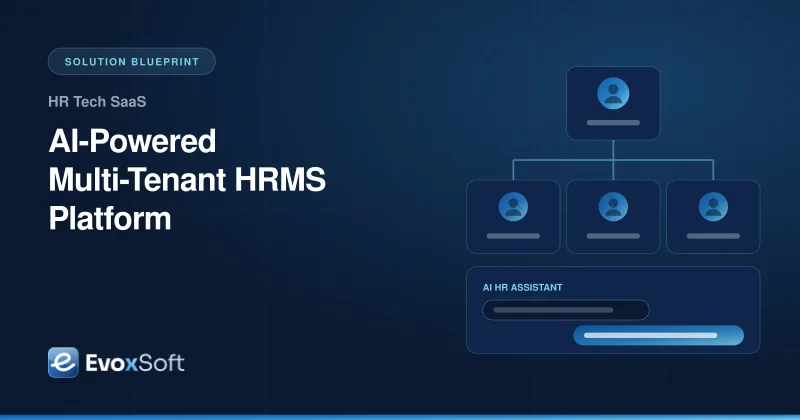
An HR tech company wants to sell one HRMS product to hundreds of employers, each with its own policies, approval chains and data rules. This blueprint shows how we build a multi-tenant platform where AI answers employee questions and speeds up HR work, while every tenant's employee data stays strictly separated.
Each customer has different leave policies, approval chains and org structures, and hard-coding them per customer does not scale.
HR teams answer the same policy questions every day by email and chat.
Employee records are highly sensitive, and buyers ask exactly how their data is isolated from other customers and from AI models.
Onboarding a new employer takes weeks of manual setup and spreadsheet imports.
What the Solution Delivers
New employers onboarded through self-serve setup and bulk import instead of custom code
Leave, attendance and approval rules configured per tenant without deployments
An AI assistant that answers employee questions from that employer's own policies, with sources cited
Tenant isolation enforced in the database, the encryption keys and the AI retrieval layer
Architecture
Multi-tenant HRMS architecture
Every request carries a tenant context from sign-in to storage. Configurable workflows run each employer's approval rules, and the AI assistant retrieves only from that tenant's own policy documents before answering.
The situation
HR software is sold to employers who each run HR differently. One customer gives 20 days of annual leave that accrue monthly. Another uses unlimited leave with manager approval, and a third has union rules that vary by site. A product that handles this with per-customer code branches becomes unmaintainable after a few dozen customers. Meanwhile, the data involved (salaries, performance notes, medical leave, IDs) is among the most sensitive a company holds. Buyers now also ask a new question: what happens to our employee data when you use AI?
Our approach
1. Design multi-tenancy in from day one
We use a shared application with tenant-scoped data: every table carries a tenant ID, and PostgreSQL row-level security enforces it on every query. Sensitive fields such as bank details and national IDs are encrypted with per-tenant keys in AWS KMS. Removing a tenant’s key makes that tenant’s encrypted data unreadable, which simplifies offboarding and data-deletion requests. For customers who need it, the same codebase can run a dedicated database per tenant without a separate product.
2. Make policies configuration, not code
Leave types, accrual rules, holiday calendars, shift patterns and approval chains are modeled as versioned tenant configuration. A workflow engine (Temporal) runs approvals with the tenant’s rules, handles escalations and reminders, and keeps a full audit trail. When a customer changes a policy, the change applies from an effective date instead of rewriting history.
3. Connect to each customer’s identity system
Enterprise customers expect to sign in with their own identity provider. Each tenant gets its own SSO configuration (SAML or OIDC), and SCIM provisioning keeps employee accounts in sync as people join, move or leave. Role-based access control covers employees, managers, HR admins and auditors, with field-level rules for sensitive data.
4. Add AI where it saves real time, with guardrails
The AI HR assistant answers questions like “How much leave do I have left?” or “What is the parental leave policy?”. It uses retrieval-augmented generation over that employer’s own policy documents plus the employee’s own records. Retrieval is filtered by tenant namespace and by the user’s permissions, so the assistant can never see another customer’s policies or another employee’s data. Answers cite their source documents, and questions the assistant can’t answer confidently are routed to HR. Customer data is not used to train models, and prompts and responses are logged for audit.
We also use AI in lower-risk, high-volume places: extracting data from onboarding documents for HR to confirm, drafting policy summaries, and answering natural-language reporting questions over the tenant’s own data. We avoid automated decisions about individual employees, such as performance or termination, because they carry legal and ethical risk.
5. Make onboarding self-serve
A guided setup lets a new employer define their org structure, import employees from a spreadsheet or their previous system, upload policy documents, and connect SSO and payroll. Validation shows problems before import, not after.
How we deliver it
We start with core HR, leave and approvals for a pilot tenant, then add attendance, the AI assistant and payroll connectors in later releases. The AI features ship behind per-tenant feature flags, and we measure them against a set of test questions so answer quality is tracked on every release. Infrastructure is defined in Terraform on AWS with separate environments; see our cloud services. The employee app is designed mobile-first, because most leave requests and payslip checks happen on a phone; see our UI/UX design work.
Is this relevant to you?
If you are building or modernizing an HR product for many employers, or adding AI to one without putting customer data at risk, this architecture is a strong starting point. Explore our custom software development service or talk to us about your HRMS roadmap.
Building something similar?
We'll walk through your requirements and share how we'd approach architecture, timeline and team for your project.
We use essential technologies to run this site. With your OK, we also use cookieless analytics and Google Maps, which may set cookies. No ads, and we never sell your data. Cookie Policy
Privacy preferences
Choose which optional technologies we may use. Strictly necessary ones are always on because the site can’t work securely without them. Details are in our Cookie Policy.
Your browser sends a Global Privacy Control signal, so optional technologies are off by default.
Strictly necessary
Security and spam protection (Cloudflare, Google reCAPTCHA), form delivery, and remembering these choices.
Always on
Cloudflare Web Analytics counts page views without cookies or cross-site tracking.
Shows our office on Google Maps. Google may set cookies and receive your IP address.